
Custom Development
Alcohol Delivery Market Share and Trends: Size, Growth, & Business Opportunities
7 Apr 2026
Building an app is easier than it used to be.
That still surprises a lot of people. For years, building apps was associated with long development cycles, writing code, and managing servers. Slow. Expensive. Hard to change.
That model has changed quietly.
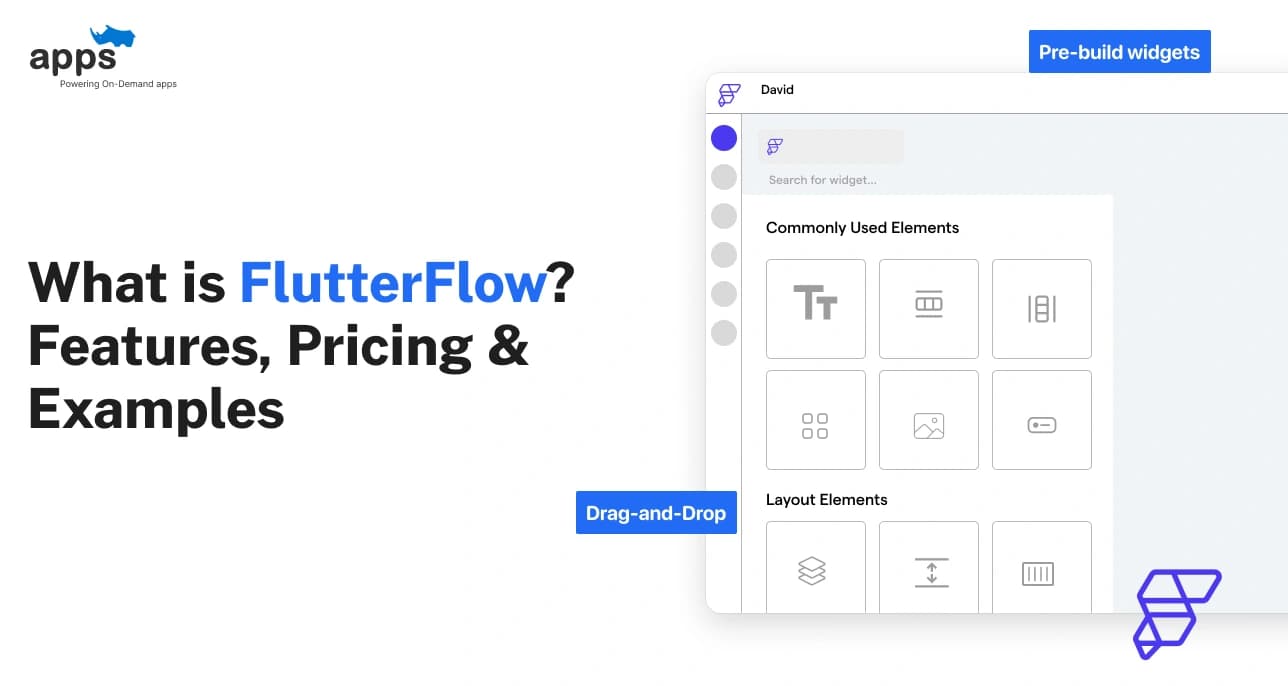
Tools like FlutterFlow have become part of that shift. It is a visual app-building platform that lets people create web and mobile apps without heavy coding. You design screens, add logic, and connect ready-made services behind the scenes. A single project can run on iOS, Android, and the web.
This guide explains what FlutterFlow is used for, its key features, pricing, and real use cases, so you can decide if it’s right for you in 2026.
FlutterFlow makes app development feel less challenging. Instead of writing complex code, users begin with visual building blocks.
This removes much of the complexity and helps users understand how apps are structured.
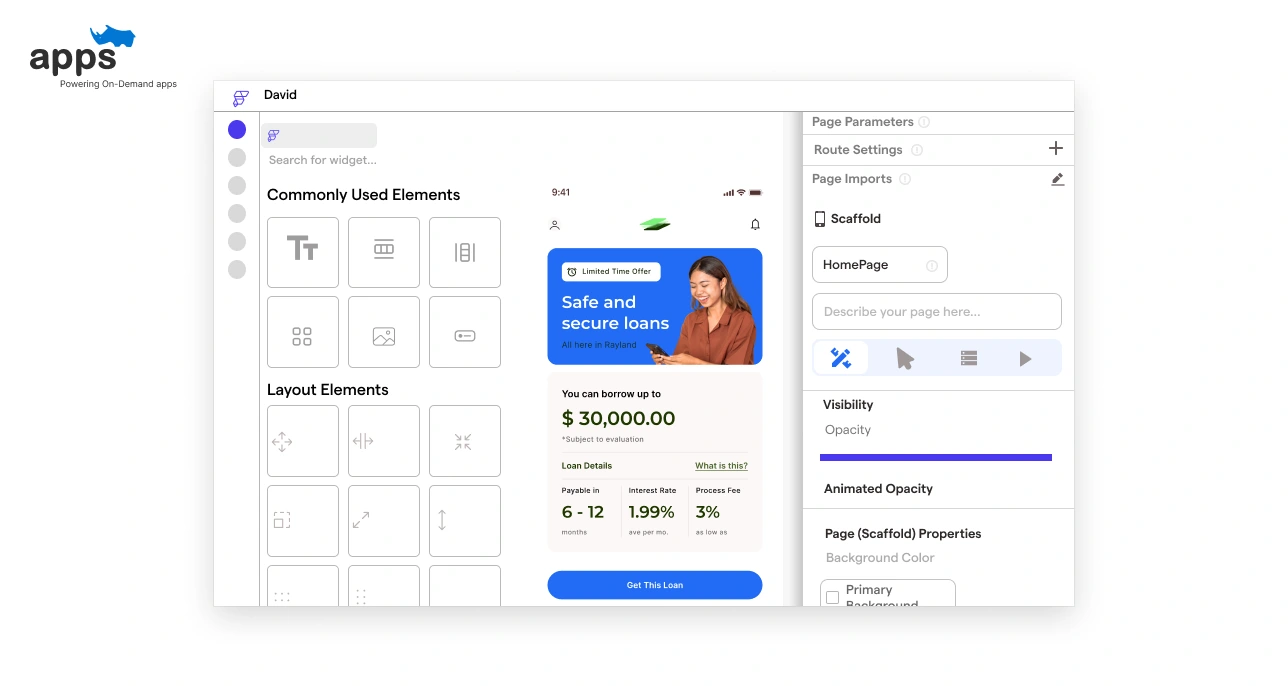
FlutterFlow is a visual app builder based on Google’s Flutter framework.
Screens are designed by dragging components onto a canvas. Logic, data connections, and navigation are configured through simple settings.
Users can also access and export clean Flutter code, which offers more flexibility than most no-code tools.
FlutterFlow is designed for non-developers, product teams, and designers who want to build apps quickly. It also works well for people without deep coding knowledge.
Startups, internal teams, and agencies use it to prototype, test, and launch production-ready apps faster.
FlutterFlow sits between no-code and low-code. You can build fully functional apps visually. At the same time, you can add custom logic and code when required.
This makes it useful for simple apps today and adaptable as projects evolve.
Teams that want similar flexibility also opt for platforms like AppsRhino, which focus on low-code and no-code app development with greater control over customization and growth.
Now that the basics are clear, it’s time to look at the types of applications teams can build using FlutterFlow.
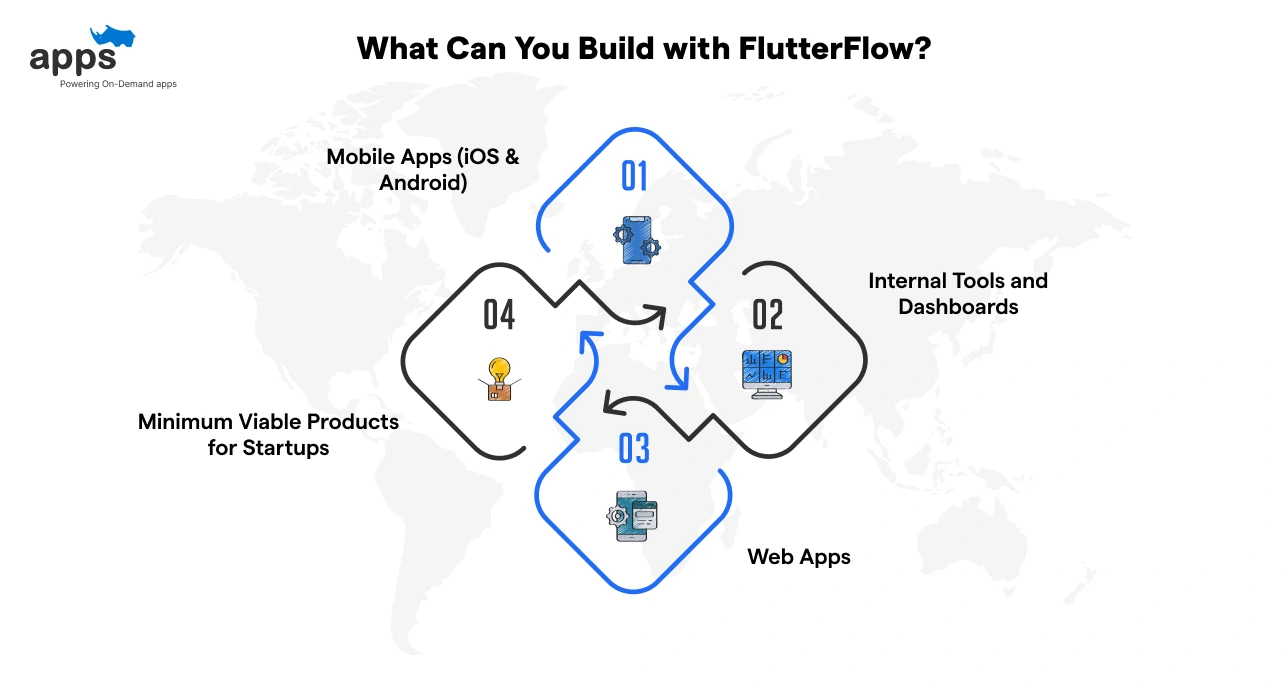
FlutterFlow isn’t just for side projects or demos. Teams use it to build working applications that solve real problems. From customer-facing products to internal tools, it covers a wide range of practical use cases.
Some of the most common ways people use FlutterFlow include:
FlutterFlow is commonly used to build mobile apps. You can design screens visually and define how users interact with them.
The same app works on both iOS and Android. This makes it easier to test changes, build features faster, and maintain a single codebase instead of two.
Many production-ready FlutterFlow apps start this way.
You can also build web apps using FlutterFlow. These work well for admin panels, simple platforms, or user-facing tools.
Much of the layout and logic can be reused from mobile apps. This helps teams launch web and mobile versions without starting from scratch or managing separate projects.
Teams often use FlutterFlow to build internal tools.
Think approval flows, dashboards, or data management apps. These tools don’t need polished public designs. They just need to work well.
FlutterFlow helps teams build and adjust these tools quickly as internal needs change.
FlutterFlow is also a popular choice for MVPs (Minimum Viable Products). Startups use it to test ideas, launch early versions, and gather feedback.
It helps teams move fast, change features early, and avoid heavy upfront development, reducing risk and validating the product.
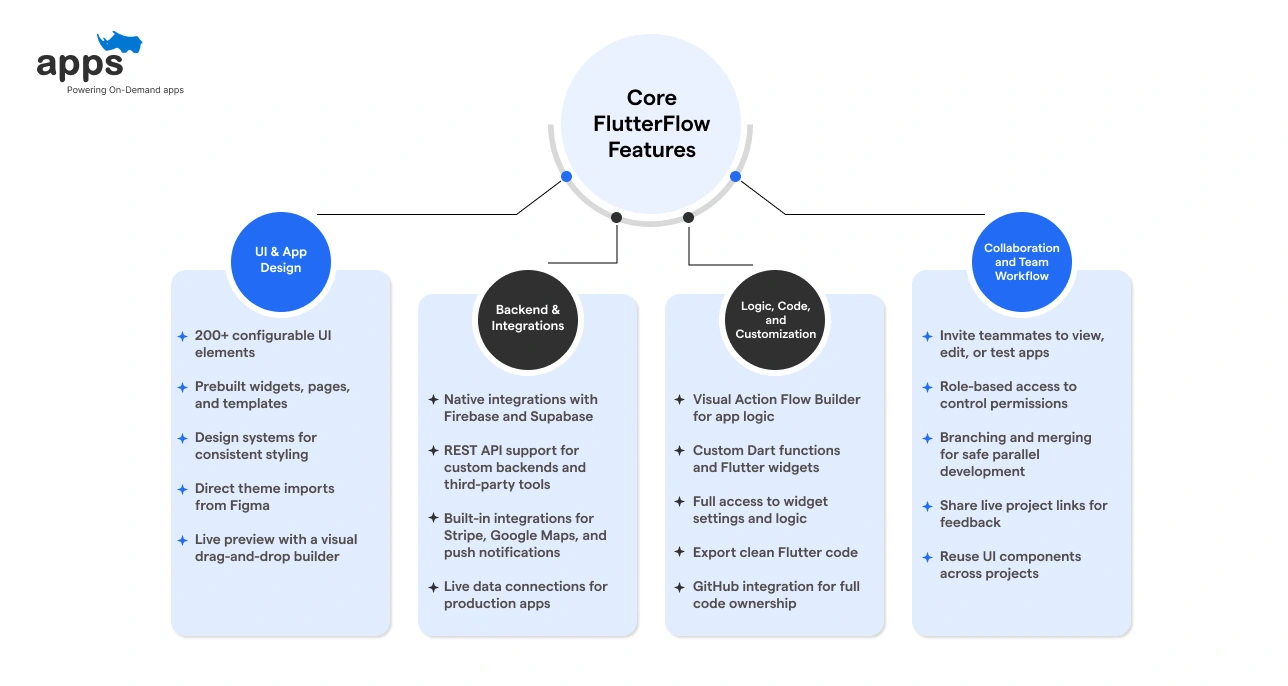
FlutterFlow acts as a bridge between traditional coding and visual design.
The platform enables you to build native web and mobile applications, combining backend connections, visual logic, and code-level control in one place. Instead of juggling multiple tools, teams can build, test, and deploy from a single workflow.
Below are the core FlutterFlow features that matter most in 2026:
FlutterFlow relies on a visual drag-and-drop builder to construct layouts quickly. There are over 200 prebuilt widgets to choose from, and users can import themes directly from Figma to match their brand guidelines.
The system ensures that what you see is what you get.
Apps built with FlutterFlow can connect to real data. It provides native support for backend services like Firebase and Supabase, handling database management and user authentication effortlessly.
You can also integrate external services using REST APIs to fetch or send data.
FlutterFlow is not limited to basic logic. You can define app behavior using the visual Action Flow Editor, which handles logic visually.
When your app requires distinct or complex features, you can add custom Dart code for functions and widgets.
FlutterFlow supports teams working together on the same project, without overriding each other’s work.
Advanced branching allows developers to build specific features in isolation before merging them into the main app, preventing conflicts during development.
You can test on real devices and catch issues early using built-in tools. Once the app is ready, deployment to the web and app stores is automated.
A single project targets iOS, Android, and the web simultaneously.
The layout system helps your app fit different screen sizes, from mobile phones to large desktop monitors, without building separate versions.
FlutterFlow includes AI tools that help speed up app building. You can generate layouts, basic logic, and backend structures from text prompts.
This works well for repetitive setup tasks and early prototyping. More complex or custom logic still requires manual review and refinement.
Once the features are clear, it helps to see what getting started actually looks like.
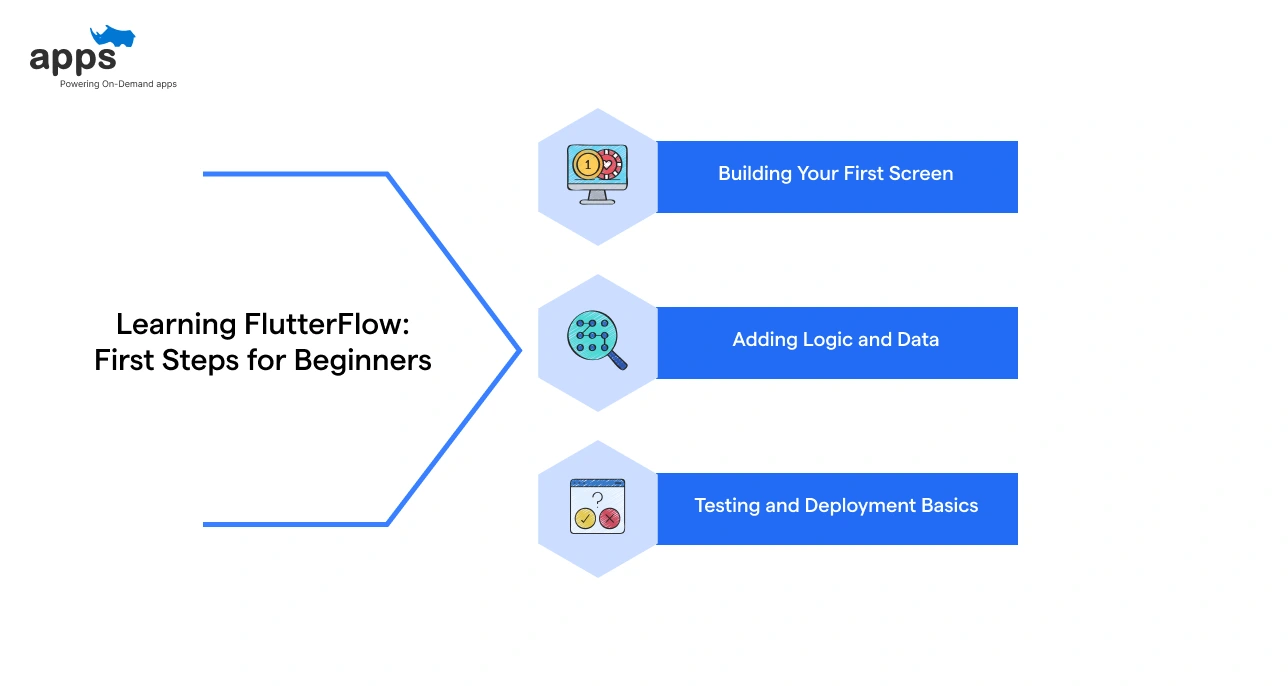
Getting started with FlutterFlow does not need a deep technical background. It is designed to ease you into app building step by step.
While the drag-and-drop interface is intuitive, understanding how screens, logic, and data connect makes the learning process much smoother.
Start small, focus on the basics, and build complexity over time.
You only need a FlutterFlow account and a clear idea of what you want to build to get started. No deep coding skills are required. Just a logical mindset helps.
Understanding how data works, similar to rows and columns in a spreadsheet, is helpful for setting up your backend.
Most beginners start with a small goal, such as a login screen or a simple list, and expand from there.
Your first screen starts in the visual editor.
You drag UI elements onto the canvas and arrange them like a layout. Buttons, text, images, and lists are already available. Live previews show changes instantly, helping you see how the screen takes shape as you work.
Use ‘Column’ widgets to stack items vertically and ‘Row’ widgets for horizontal alignment. Check the ‘Widget Tree’ panel to ensure your elements are nested correctly. This structure helps the layout remain responsive on different screen sizes.
Once your screen looks right, you add behavior using visual logic.
FlutterFlow’s Action Flow Editor lets you define what happens when a user taps a button. This includes form submissions, navigation, and basic conditions, all without writing code.
To work with real data, you connect a backend like Firebase or Supabase, or use APIs. This replaces static content with dynamic data that updates based on user actions.
Always verify what you build before sharing it.
Preview mode is fast for checking design changes, while Test Mode compiles the app to test complex logic and database connections. The built-in Debug Panel helps catch issues early.
When you are ready, FlutterFlow can deploy your application directly to the App Store, Play Store, or web, or export the code for further customization.
Beginners learn faster by building step-by-step, instead of memorizing theory.
FlutterFlow offers a range of pricing options to fit different needs. You can start with the platform for free, and then upgrade as your needs grow.
Costs mainly depend on features, deployment needs, collaboration, and how much control you want over code and workflows.
Here’s a breakdown of what you get at each level so you can plan FlutterFlow cost and expectations before you commit:
FlutterFlow has a free plan that you can use for learning and early exploration.
What the free plan includes:
What’s restricted:
The free plan works best for testing ideas, not launching apps.
Paid plans are meant for building and launching real apps. Once you’re ready to ship an app, these plans give you tools for deployment, code access, and working with a team.
FlutterFlow offers separate plans for individuals/teams, enterprise, and education.
Here’s a simple breakdown of the main plans and what each one is best suited for:
| Plan | Starting Price (per month) | Best For |
| Free | $0 | Early learning and testing |
| Basic | $39 ($29.25 with annual billing) | Individual builders ready to publish |
| Growth | $80 for first seat, $55 for second seat ($60 / $41.25 with annual billing) | Small teams and faster builds |
| Business | $150 for first seat, $85 for seats 2 to 5 ($112.50 / $63.75 with annual billing) | Complex apps and team workflows |
| Enterprise | Custom pricing | Large organizations |
| Education | Discounted/eligibility-based | Students & educators |
*Pricing may vary by location and billing cycles. Please check the FlutterFlow pricing page for up-to-date details.
Your FlutterFlow subscription is only part of what you may end up paying.
Some expenses come from the services you connect to your app. These include:
Thinking about these costs early makes it easier to plan and avoid surprises later.
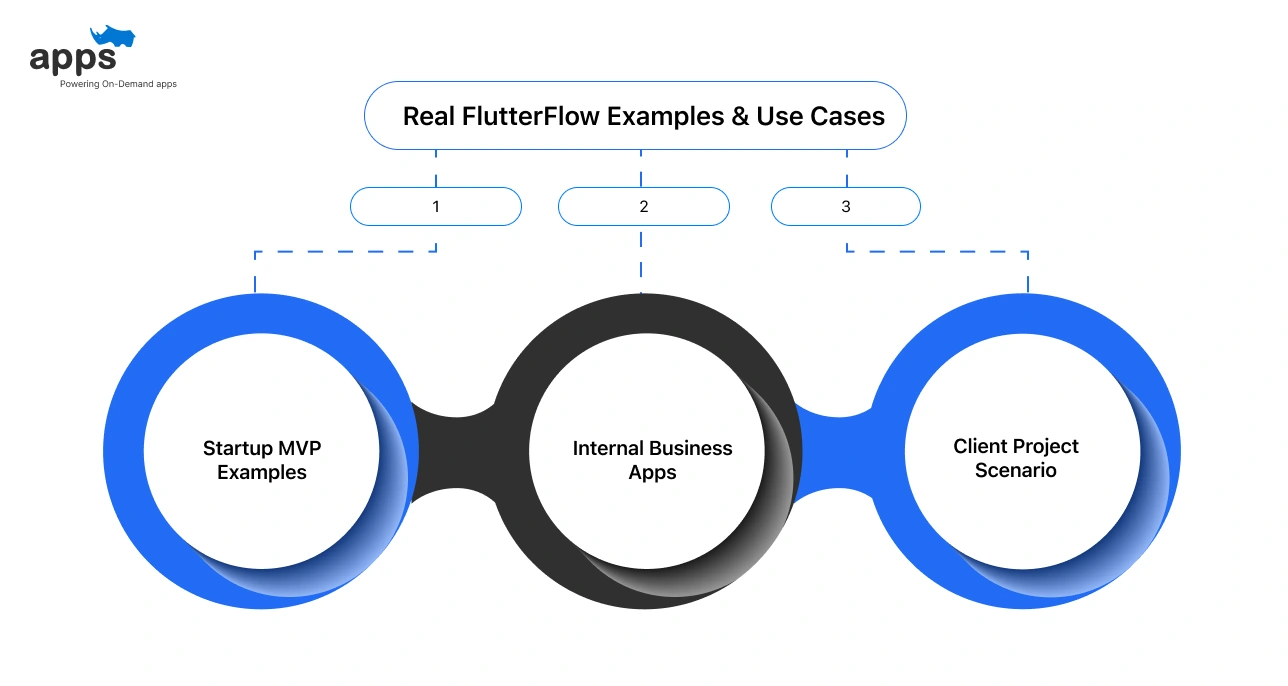
FlutterFlow is used to build real apps, not just experiments.
Teams use it to launch products that ship and get used every day. From streamlining internal work to delivering client projects faster, the platform lets teams build, test, and update real applications without heavy coding.
Many of the apps featured in FlutterFlow’s customer stories follow these exact patterns.
Many startups turn to FlutterFlow when they want to get an idea in front of users quickly. Founders can add logic, design screens, and connect a backend without a large engineering team.
Apps like Parenteo and Outmarket started this way, using FlutterFlow to launch early, test ideas, and adjust based on real feedback.
Companies also use FlutterFlow to build internal dashboards, approval flows, and simple tools for employees.
In cases like Grupo Purdy, FlutterFlow helped teams ship multiple internal apps faster, especially when requirements changed often, and speed mattered more than perfect design.
Agencies and freelancers often use FlutterFlow to deliver client apps on tight timelines. It enables teams to share progress, collaborate, and reuse components across projects.
Apps like SparkCharge and Creators AGI show how teams can build cross-platform apps quickly, integrate complex backend services, and launch with lean teams.
These examples show how FlutterFlow fits into real workflows. It helps teams start fast, stay flexible, and evolve their apps as needs become more complex.
FlutterFlow is often seen as a prototyping tool, but many teams also use it in production.
The platform generates real native code and currently powers many active startups and internal tools. However, success depends on following architectural best practices, just like traditional development.
Apps are compiled to native Flutter binaries, not web wrappers. This allows for smooth performance when built and optimized correctly. It handles real users, increases traffic, and lives well with data.
Scalability is driven mainly by the backend infrastructure. If services like Firebase or Supabase are set up to handle the load, the app can scale smoothly as traffic grows.
Multiple people can work on the same project without interfering with each other’s work.
Features like branching and version history help teams manage updates without conflicts. Teams with more complex workflows can connect to GitHub for deeper control.
Security depends on safe backends and proper configuration. Authentication, API access, and database rules are handled there.
The platform facilitates these settings, but it does not automatically enforce data privacy policies. You are responsible for locking down user data.
You should switch to custom Flutter if you require advanced logic, full control over architecture, or very specific performance tuning.
Because you own the code, you can export your project anytime and continue building in tools like VS Code.
For the right kind of project, FlutterFlow can save a lot of time and effort.
The real question is: how fast do you want to move and how much control do you need as you scale?
FlutterFlow is good for solo founders, startups, and small teams that are looking for a quick launch. It’s an ideal tool for building your MVP or internal business tools.
If you like visual building and quick feedback, it can feel very natural. And if you need extra speed or technical support without building everything yourself, you can hire FlutterFlow developers from AppsRhino to plan, build, and ship your apps efficiently.
If you’re building a complex product that requires heavy engineering from the start, FlutterFlow may feel restrictive later. Apps that need deep system-level control, custom architecture, or heavy real-time processing are better suited for traditional coding.
Visual builders can feel restrictive if total architectural control is your top priority.
Choose FlutterFlow when speed is your main goal. You can put a real product in users’ hands, learn from it, and iterate quickly.
And if you ever outgrow it, you can export the code and move to custom development without throwing your work away.
If you’re unsure whether FlutterFlow fits your needs, it’s worth exploring other tools in the same space to compare features, flexibility, and long-term scalability.
FlutterFlow is not a shortcut, but a different way to design apps.
It makes modern app development feel faster, smoother, and more practical, without starting from scratch or relying on heavy code.
For many products, speed matters more than perfect control or aesthetics on day one. You can build, add logic, connect data, and launch across platforms (iOS or Android) from a single place.
For startups, MVPs, and internal tools, this speed could be a real advantage. And when your product grows, FlutterFlow doesn’t hold you back. The code is yours and you can export it anytime to continue building with custom Flutter code.
On the whole, it gives you a fast place to start and learn, without limiting where you can go next.
Custom Development
7 Apr 2026
Tell us what your business actually runs on today, and we will map what it takes to make it one system.