

Custom Development
Alcohol Delivery Market Share and Trends: Size, Growth, & Business Opportunities
7 Apr 2026
Your vendor gets paid.
But no one knows who approved it—or why.
That’s not finance. That’s chaos.
In too many companies, accounts payable runs on emails, spreadsheets, and crossed fingers. There’s no clear trail, no real control, and plenty of room for costly mistakes.
It doesn’t have to be this messy.
A well-structured accounts payable workflow brings order to the madness. It tracks every step—from invoice to approval to payment—without slowing things down.
In this guide, we’ll show you how the right workflow protects your cash, keeps vendors happy, and gives your finance team its sanity back.
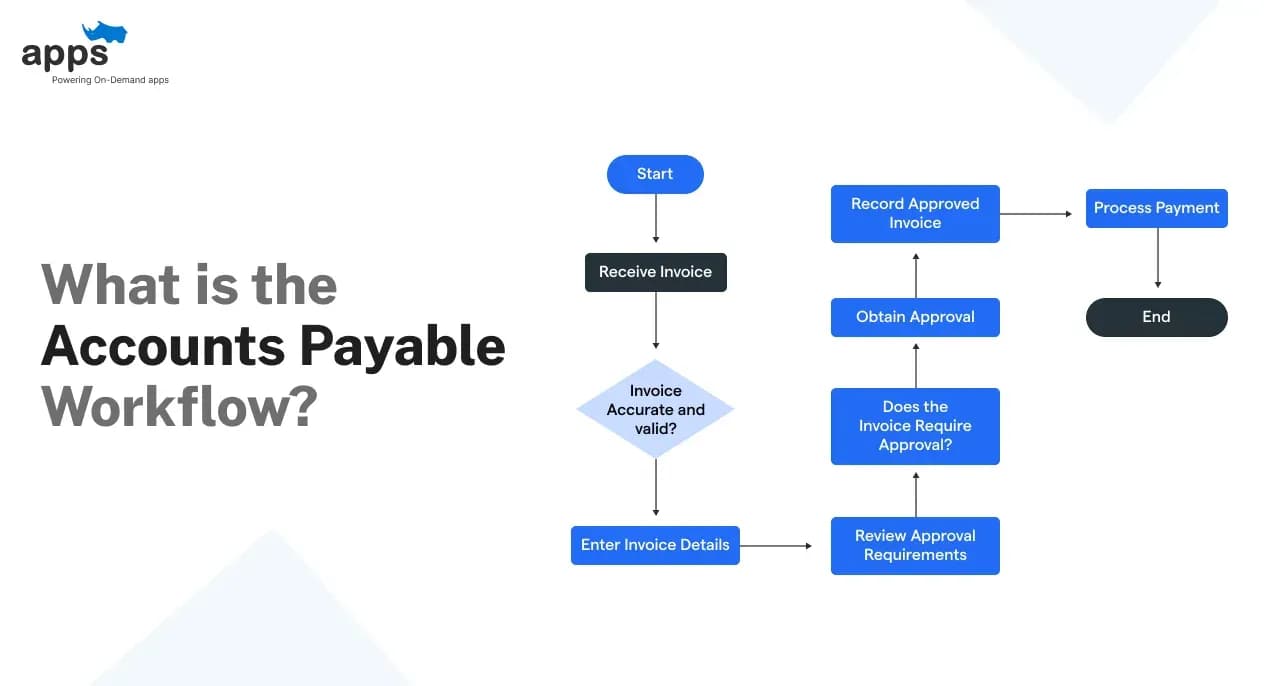
The account payable workflow is the step-by-step process businesses use to manage vendor invoices, approve them, and send payments.
Let’s say a small design agency orders software licenses for their team. They receive an invoice from the vendor.
That invoice goes through a few checks—was it authorized? Did the service get delivered? Was the price correct? Only after that, it gets approved and paid.
This structured flow helps avoid payment mistakes and keeps vendor relationships strong.
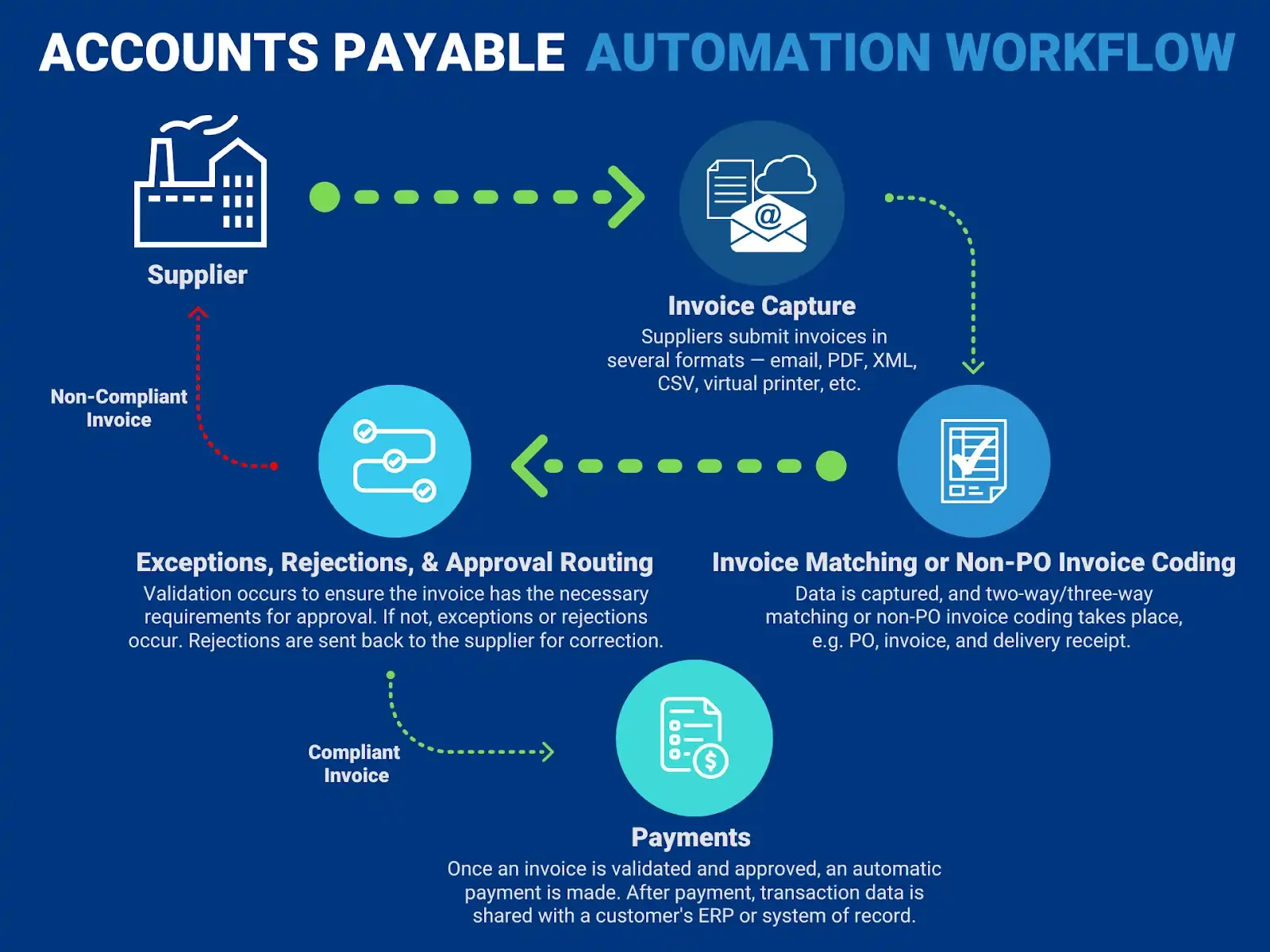
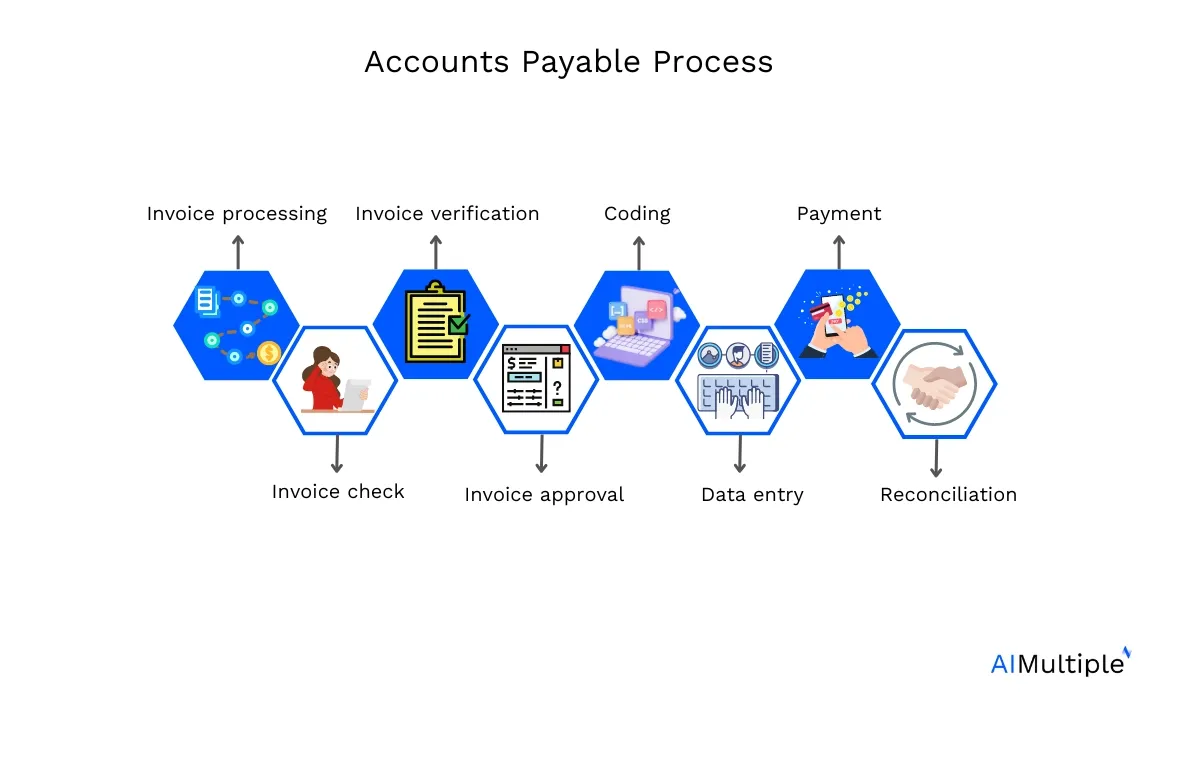
Here’s how a basic AP workflow usually looks:
Invoice received
From a vendor, by email or system upload.
Invoice matched
Match with purchase order (PO) and delivery receipt.
Details verified
Confirm correct pricing, quantity, and vendor info.
Approval requested
Sent to the right manager or team for sign-off.
Payment scheduled
Added to payment run or scheduled by due date.
Payment made
Through bank transfer, check, or AP automation tool.
Transaction recorded
Logged in accounting software for tracking and audits.
The account payable workflow isn’t just a checklist. It solves real problems:
Example:
A marketing firm once paid the same $4,000 invoice twice—once by email and again through an old system.
A proper AP workflow would’ve caught the duplicate before payment.
When your AP workflow is clear and structured, you reduce risk, control spending, and increase transparency. It pays off—literally.
Example:
During a tax audit, a clean account payable workflow helped a small business locate 12 months of payment records in minutes—saving hours of manual digging.
Scenario:
A retail business reviews its AP dashboard every Monday. It shows $18,000 in pending payments for the week. This visibility helps the owner hold off on non-urgent purchases until invoices are cleared.
Risk Reduction
Example:
An employee once tried to process a fake invoice using a fake vendor name. The system flagged it because the vendor wasn’t pre-approved. That’s the power of a secure account payable workflow.
Understanding the account payable workflow is key for avoiding late payments, missed invoices, or accounting errors.
Each step plays a role in keeping vendor relationships strong and cash flow healthy. Here's a breakdown of the essential stages with simple explanations and real-world examples.
A purchase order (PO) is a document that confirms what you’re buying, from whom, and at what price. It’s created before any goods or services are delivered.
For example, imagine a small marketing agency needs 50 office chairs. The office manager creates a PO listing the quantity, price per unit, delivery date, and vendor details. This PO is then sent to the vendor.
A PO is usually created by the procurement team or whoever handles purchases in the company. It typically includes:
Creating a PO early avoids confusion later. It’s the starting point of the account payable workflow, providing the first layer of documentation.
After the PO is approved and sent, the next step is receiving what was ordered. This step confirms that goods or services have arrived as expected.
Proof of receipt can look like:
Let’s go back to the chair order. The vendor delivers 50 chairs. The office manager checks the items and signs off the packing slip. This signed slip becomes proof of receipt.
This step matters in the AP workflow because it helps confirm that the invoice matches what was actually received. It reduces the risk of overpayment or paying for items that didn’t arrive.
Now, the vendor sends an invoice requesting payment. This could be via:
Invoices must include key info like invoice number, date, amount, due date, and PO number. However, issues often pop up. Common ones include:
For instance, the vendor sends an invoice for 60 chairs instead of 50. That’s a red flag. Catching these errors early saves time and prevents payment mistakes in the account payable workflow.
This is a critical control step. The invoice is matched to the PO and the proof of receipt. This ensures what’s being paid for was actually ordered and delivered.
There are two types of matching:
In our chair example, a 3-way match would involve comparing the PO (50 chairs ordered), the receipt (50 chairs delivered), and the invoice (should also say 50). If everything lines up, the invoice is ready for approval.
Automating this part of the AP workflow cuts down on manual errors and speeds up processing.
Before the invoice is paid, it needs to be approved. Approval rights often depend on the invoice amount or department.
For instance, invoices under $500 may be approved by a team lead, while anything over $5,000 might need a department head’s sign-off.
Approvals can be:
Automated approvals reduce bottlenecks. If the right people don’t see the invoice quickly, it delays payment. A delay might mean losing early payment discounts or damaging vendor trust.
Once approved, the invoice moves to payment. This is where the business actually pays the vendor.
Common payment methods:
Many businesses aim to pay on time, but not too early. Timing is key. Paying late can lead to late fees. Paying early—if there’s a discount—can save money.
For example, some vendors offer 2% off if paid within 10 days. If your AP system tracks due dates properly, you can catch and use those discounts, improving ROI from the account payable workflow.
After payment, documents need to be stored and the ledger updated. This step ensures compliance and prepares you for audits.
This includes storing:
Storing records digitally makes life easier during tax season or audits. It also helps with financial planning and tracking expenses.
Think of it like a paper trail that shows exactly what was spent and why. Without it, you’re flying blind.
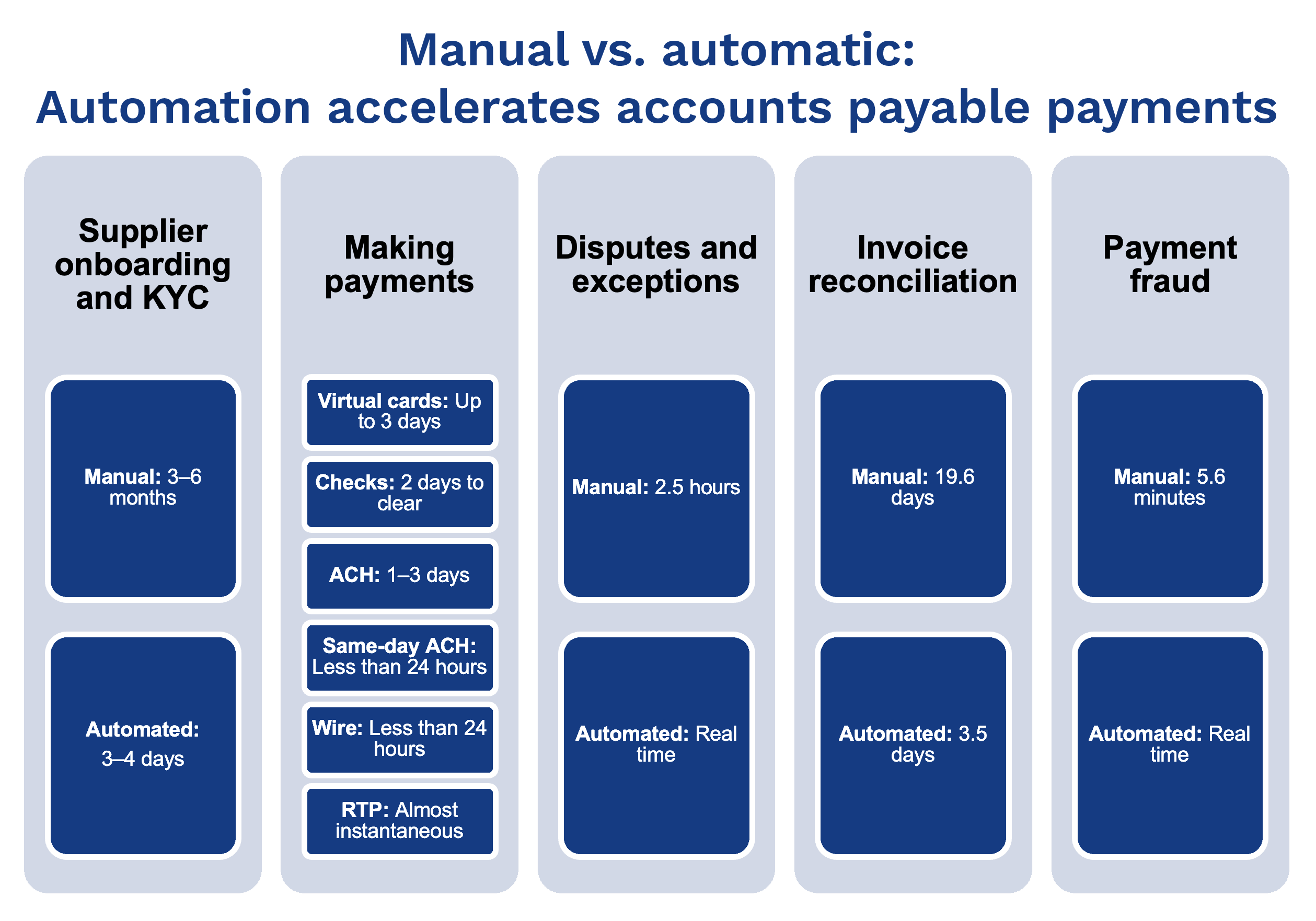
Accounts payable isn’t just about paying bills—it’s about how efficiently you manage the process. Choosing the right account payable workflow can save time, cut costs, and reduce stress.
Feature | Manual AP | Automated AP |
Invoice Handling | Paper-based, email PDFs | Scanned or digital invoices auto-uploaded |
Approval Process | In-person or email follow-ups | One-click digital approvals |
Speed | Slow and inconsistent | Fast and trackable |
Error Rate | High (typos, duplicates, missed payments) | Low (auto-matching and alerts) |
Tracking & Visibility | Limited, mostly manual | Real-time dashboard and reports |
Audit Readiness | Hard to organize and track | Easy with logs and digital trails |
Cost Efficiency | Hidden costs from delays and errors | ROI from saved time and fewer mistakes |
Scalability | Becomes chaotic as volume grows | Scales easily with business growth |
Let’s say you process 30 invoices per week. With a manual AP workflow, that could take 10+ hours, with constant back-and-forth and follow-ups.
With an automated system, the same work takes less than 2 hours—with fewer errors.
Manual workflows might work for very small businesses. But if you're growing—or already seeing issues like late fees or missed discounts—it’s time to switch.
Automated tools improve accuracy, speed, and visibility. Most businesses see ROI within months, especially in labor hours saved.
If your ap workflow feels slow or error-prone, automation is a smart next step.
Even the best teams face problems with account payable workflow if the process isn't tight. Below are some of the most common issues.
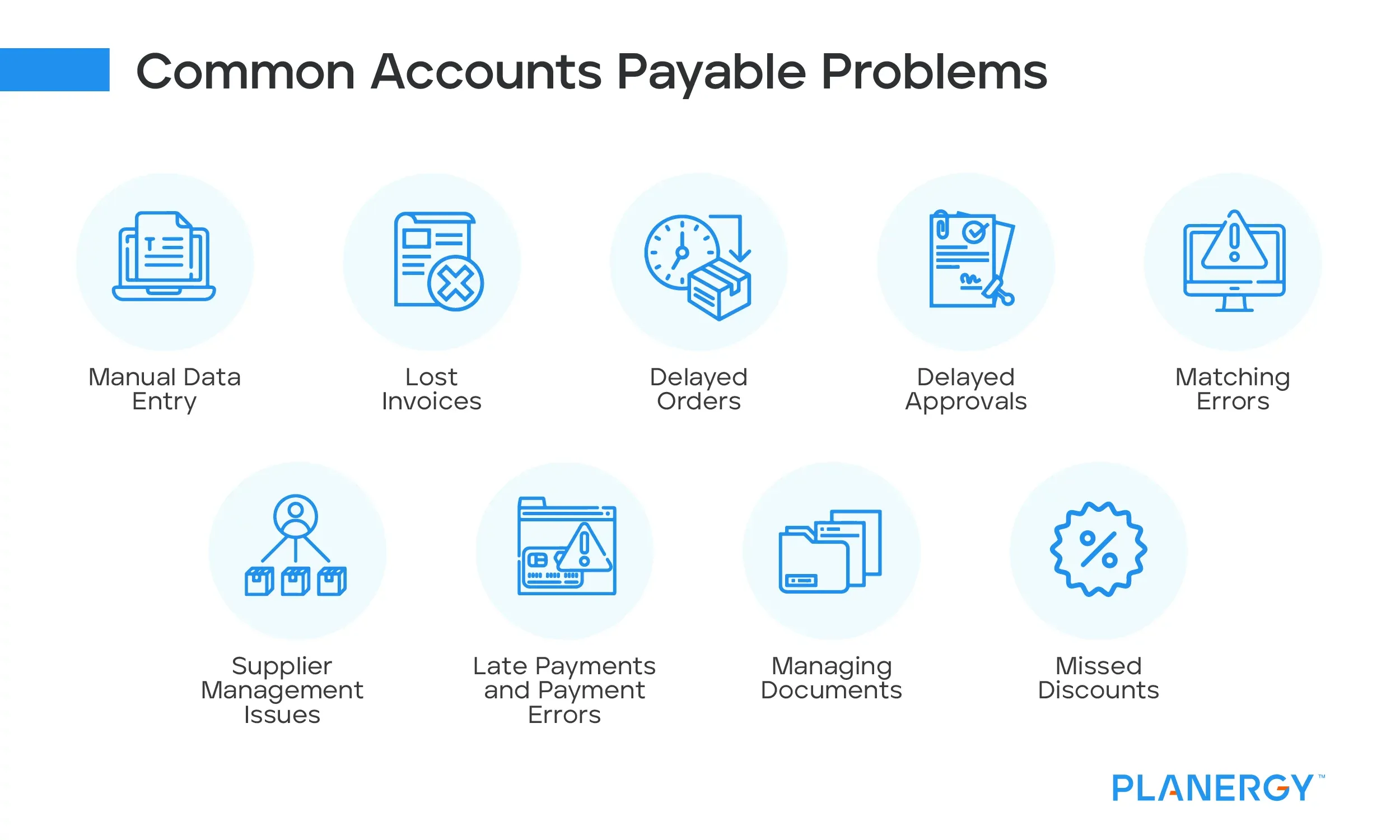
Without checks in place, it’s easy to pay the same invoice twice. Especially if you're manually entering data from paper or emails.
Let’s say two departments receive the same invoice. If there's no centralized system, both could approve it. That’s money lost.
Manual ap workflow relies on people being available. If someone is sick or traveling, approvals can get stuck. That leads to late payments and stress on vendor relationships.
Fraud happens when controls are weak. An employee could create a fake vendor and approve payments to it. Without audit trails, these payments can go unnoticed.
Missed payments hurt relationships. Vendors may charge late fees or stop giving priority service. Automation helps avoid this by setting reminders and auto-pay options.
Manual systems often lack real-time reporting. You don’t know what’s approved, pending, or overdue. This leads to poor decisions and cash flow surprises.
An efficient account payable workflow should give you control and clarity. With the right system, you reduce risk, improve speed, and build better vendor relationships.
Many businesses lose money and time due to unclear processes in their account payable workflow. Delayed approvals, lost invoices, and missed discounts are common.
But improving this process doesn’t have to be hard. A few smart changes can lead to faster payments, fewer errors, and happier vendors.
Confusion happens when roles aren’t clear. Every team member should know who does what, and by when.
For example, if an invoice lands in the inbox, who checks it? Who approves it? And how long should that take? Setting clear rules makes this simple.
Let’s say a small retail company has a two-step approval process. If one person is on leave, invoices pile up. With clear backup roles in place, that backlog never happens.
When everyone knows the steps, the AP workflow moves faster.
Even small businesses benefit from AP automation.
Think of a restaurant chain that handles 100+ invoices monthly. Manually entering data takes hours. But with automation, the system reads and records invoices instantly.
This saves time and reduces errors. It also helps spot duplicates and late payments.
Tools like QuickBooks or Tipalti are user-friendly and built for growing teams. Automation also supports remote teams—everything is accessible from anywhere.
The ROI is clear: more control, less stress, and better cash flow.
A tool is only as good as the people using it.
Train staff on how the account payable workflow works. Go beyond just the finance team. Operations and purchasing should also understand it.
For example, if a warehouse manager knows how invoice delays impact payments, they’ll submit purchase details faster.
Cross-department awareness prevents bottlenecks and builds accountability.
It’s easy to miss small issues that later become big problems.
Monthly or quarterly audits can flag red flags early. These could be duplicate payments, unusual vendor activity, or missing approvals.
Let’s say a business caught a $1,200 duplicate payment during a routine check. Without that audit, it would’ve gone unnoticed.
Audits don’t just catch errors—they also highlight what’s working well in your AP workflow.
If your business needs a better account payable workflow, AppsRhino offers a simple way to build custom tools that fit your process.
Instead of using apps with features you don’t need, AppsRhino helps you build exactly what works. For example, you can create a mobile app that scans invoices, sends approval alerts, and connects to your accounting software.
Small and mid-sized businesses often waste time adapting to tools that weren’t made for them. With AppsRhino, you get a solution built around how your team actually works. No heavy setup. No complex systems.
You stay in control. As your AP workflow changes, your app can grow with it. Add or remove features anytime.
Real businesses have seen real results—like cutting manual work by 60% and speeding up payments by 40%.*
AppsRhino keeps things simple, fast, and flexible. It’s not just about building apps. It’s about solving real workflow issues in a way that fits your team and budget.
If your current tools are slowing you down, a custom solution could be the next step. AppsRhino makes it easy to start.
Custom Development
7 Apr 2026
Tell us what your business actually runs on today, and we will map what it takes to make it one system.