
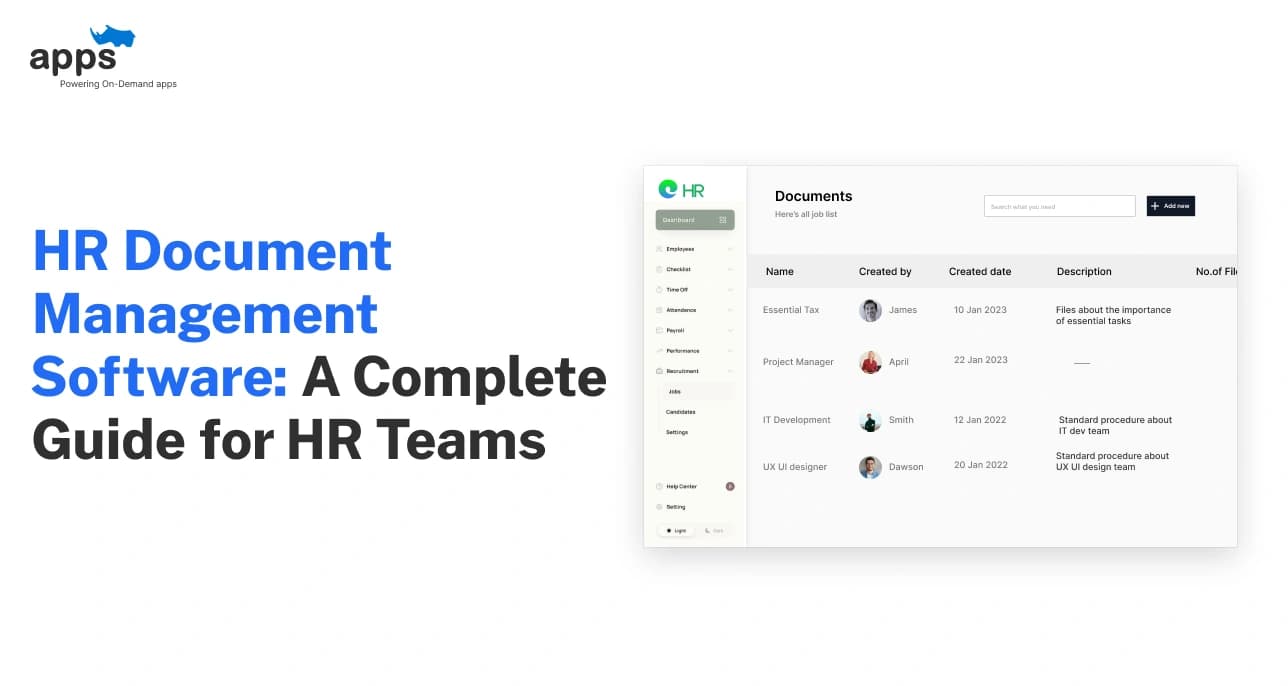
Every single day, HR teams are buried under a mountain of paperwork from simple attendance logs and performance reviews to highly sensitive banking details and non-disclosure agreements.
Managing this volume of employee records usually means wrestling with overflowing filing cabinets or a chaotic maze of desktop folders.
But let’s be real: searching through a dusty binder for a specific contract is a waste of your talent.
This is exactly what HR document management software solves by bringing HR operations into the digital age. Instead of manual sorting, you get digital HR systems that handle HR document storage with ironclad data security.
In this guide, we’ll break down why old-school storage is holding you back and how to transition to the best HR document management software without the headache. We’re moving beyond basic folders to a world where HR automation does the heavy lifting for you.
What is HR Document Management Software
HR teams don’t just manage people. They manage documents such as offer letters, contracts, IDs, policies, compliance files, and exit records. HR document management software is built to handle this at scale.
In simple terms, it is a system that helps HR teams store, organise, secure, and manage employee documents in one central place. Instead of storing employee files across email, shared drives, and folders, everything lives in a structured system designed for HR operations.
Unlike generic storage tools, document management software for HR includes access control, audit trails, and document lifecycle management by default. It ensures employee records are easy to find, properly protected, and always up to date throughout the employee journey.
Why HR Teams Need Document Management Software Today?
As organisations grow, the volume and sensitivity of employee records increase rapidly. Managing them casually becomes risky and inefficient.
- Employee files grow quickly and become hard to track manually
- HR compliance requires clear audit trails and controlled document access
- Data security and employee data privacy cannot rely on shared folders
- HR workflows slow down when documents are scattered or outdated
- Policy management needs version control and acknowledgement tracking
- Employee self-service portals require secure, role-based document access
- Legal and compliance documents must follow retention and deletion rules
Without a proper system, HR teams spend more time searching, fixing, and reacting than supporting people.
Next, let’s break down how HR document management software actually works in practice.
How HR Document Management Software Works?
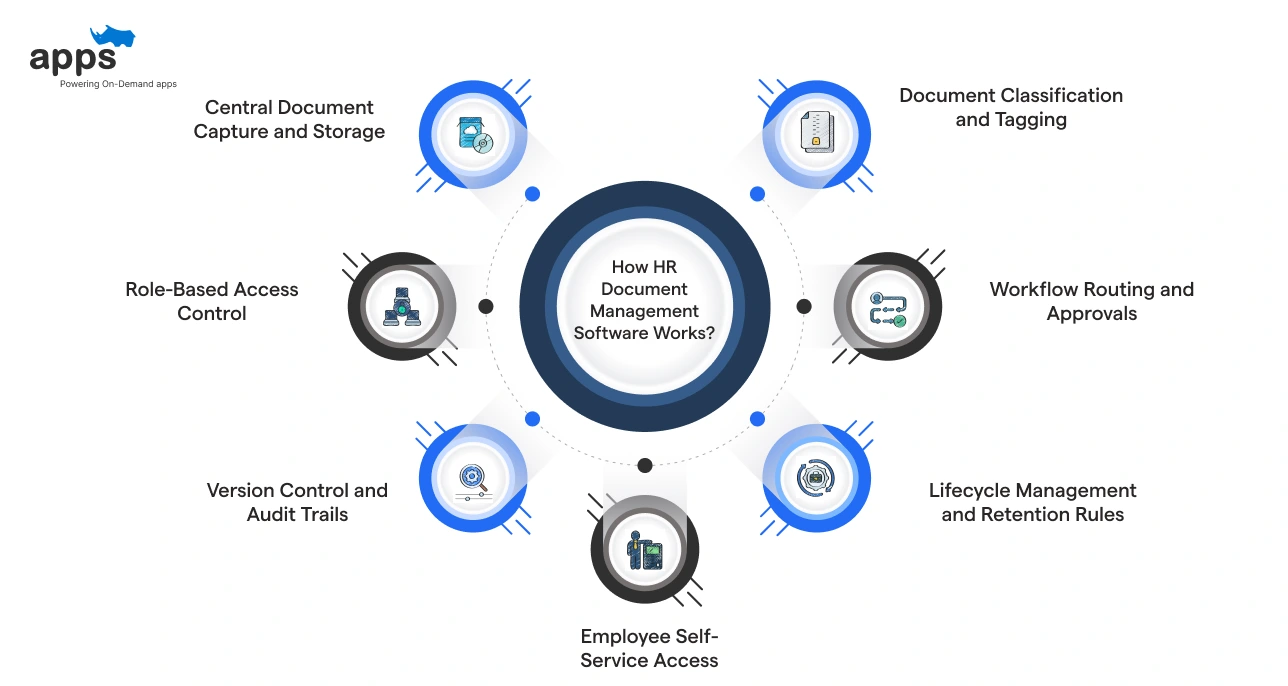
HR document management software follows a simple workflow. Documents come in, get organised, stay secure, and move through HR workflows without manual chasing or guesswork.
1. Central Document Capture and Storage
Employee files are uploaded or generated directly inside the system. Everything is stored in a single secure location designed for HR document storage, not in scattered folders or inboxes.
2. Document Classification and Tagging
Each document is tagged by type, employee, department, or policy category. This makes employee records easy to find and keeps HR operations clean as volume grows.
3. Role-Based Access Control
Access is granted based on roles, not guesswork. HR, managers, and employees only see documents relevant to them, protecting employee data privacy at every step.
4. Workflow Routing and Approvals
Documents move through predefined HR workflows for review, approval, or acknowledgement. This eliminates email follow-ups and ensures consistent policy management.
5. Version Control and Audit Trails
Every edit, view, and approval is logged automatically. Audit trails ensure HR compliance and provide a clear history during audits or legal reviews.
6. Lifecycle Management and Retention Rules
Documents follow retention policies from creation to archiving or deletion. This supports HR software legal compliance documentation management without manual tracking.
7. Employee Self-Service Access
Employees securely access their own documents through portals. This reduces HR queries while keeping control over access and data security.
Together, these steps turn HR documentation into a structured, low-effort process instead of an ongoing clean-up task. Up next, let’s look at the core features that make HR document management software effective.
Types of HR Documents That Need Structured Management
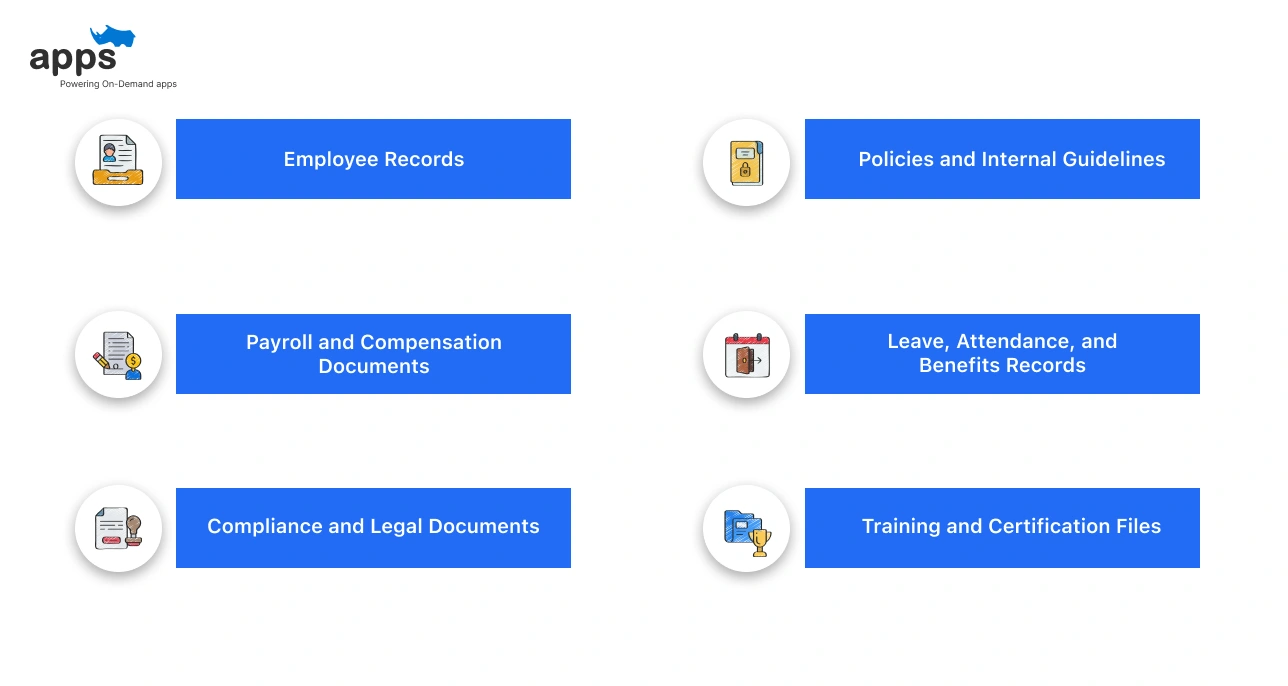
HR paperwork grows quietly. One hire, one policy update, one compliance rule at a time. HR document management software brings order by structuring documents that quickly spiral out of control.
Here are the key HR documents that benefit most from structured management:
Employee Records
- Offer letters, contracts, IDs, and background checks
- Performance reviews, promotions, role changes, and exits
- Centralised employee files reduce errors and duplicate storage
Payroll and Compensation Documents
- Salary letters, payslips, bonus records, and tax forms
- Secure HR document storage protects sensitive financial data
- Access control ensures only authorised teams can view or edit
Compliance and Legal Documents
- Labour law acknowledgements, GDPR consent, policy sign-offs
- Audit trails track who accessed or updated each document
- Essential for HR software, legal compliance, and documentation management
Policies and Internal Guidelines
- Employee handbooks, code of conduct, workplace policies
- Version control avoids outdated or conflicting policy copies
- Employee self-service portals simplify acknowledgements
Leave, Attendance, and Benefits Records
- Leave applications, approvals, and insurance documents
- Links documents directly to HR workflows and HR operations
- Improves transparency and reduces back-and-forth emails
Training and Certification Files
- Skill certifications, compliance training records
- Easy retrieval during audits or internal reviews
- Supports long-term document lifecycle management
When these documents are scattered, HR slows down. When they’re structured, everything moves faster and safer.
Up next, we’ll look at how HR document management software actually manages and connects these documents behind the scenes.
Core Features of Document Management Software for HR
It may look like HR document management software is just simple file storage, but in reality, its value lies in how each feature supports secure, compliant, and efficient HR work at scale.
Below are the core features explained clearly, in plain language, so it’s easy to see how they help HR teams day-to-day.
1. Centralised HR Document Storage
All employee documents are stored in a single secure system rather than in email, folders, or shared drives. This gives HR a single source of truth for employee records, contracts, policies, and compliance files. Nothing gets lost or duplicated.
2. Role-Based Access Control
Not everyone should see every document. Access control ensures HR, managers, and employees can only view or edit documents relevant to their role. This protects employee data privacy and reduces the risk of accidental exposure.
3. Audit Trails and Document History
Every action on a document is automatically recorded. Who viewed it, who edited it, and when it changed. Audit trails make HR compliance easier and provide clear proof during audits or legal checks.
4. Document Version Control
When policies or contracts are updated, older versions are saved and tracked. HR teams always know which document is current, preventing confusion caused by outdated employee files circulating internally.
5. Workflow Automation for HR Documents
Documents move through defined steps like review, approval, and acknowledgement automatically. This removes manual follow-ups and keeps HR workflows moving without delays.
6. Policy Management and Acknowledgements
HR can share policies digitally and track employee acknowledgements. This ensures everyone has reviewed and accepted the required policies, which is critical to compliance and internal governance.
7. Search, Tagging, and Categorisation
Documents are organised by employee, department, document type, or date. HR teams can find files in seconds rather than digging through folders, improving day-to-day HR operations.
8. Document Lifecycle Management
Each document adheres to retention and deletion rules from creation through archiving. This supports HR software and legal compliance documentation management and helps prevent unnecessary data retention risks.
9. Employee Self-Service Portals
Employees securely access their own documents, such as payslips, contracts, or policy files. This reduces routine HR queries while maintaining full access control.
These features become critical the moment audits, regulations, or legal checks come into play. Let’s look at how HR document management handles compliance.
HR Software Legal Compliance Documentation Management
With growing regulations and audits, HR document management software helps teams stay compliant every day without turning HR into a legal firefighting unit.
Here’s how it works.
Supporting Audits and Regulatory Requirements
- Centralised HR document storage keeps all employee records audit-ready.
- Contracts, IDs, tax forms, and policy acknowledgements stay searchable in one place.
- Audit preparation shifts from weeks of panic to a few filtered clicks.
- Built-in audit trails show who accessed or modified documents and when.
- This directly supports inspections under labour laws and internal audits.
Handling GDPR, Labour Laws, and SOC-Type Controls
- GDPR requires strict control over employee data access and retention.
- HR software, legal compliance documentation, and management enforce retention timelines automatically.
- SOC-style controls track document access, changes, and approvals.
- Labour law compliance improves when employment contracts and statutory records are version-controlled.
- Document lifecycle management ensures outdated files are archived or deleted safely.
Reducing Legal Risk Through Access Control
- Role-based access control limits who can view sensitive employee files.
- Managers see only what they need, not entire employee records.
- Permissions reduce accidental data leaks and internal misuse.
- Logs provide proof of compliance if disputes or investigations arise.
- This protects both the company and HR teams from legal exposure.
Ensuring Employee Data Privacy
- Sensitive employee files, such as IDs and bank details, remain encrypted.
- Secure access protects employee data privacy across HR operations.
- Employee self-service portals allow controlled access to personal documents.
- HR automation reduces manual sharing via email or unsecured drives.
- Data security becomes consistent, not dependent on individual behaviour.
Real-World Compliance in Action
- During audits, HR teams export required files in minutes.
- Policy updates trigger automatic acknowledgements from employees.
- Compliance becomes a system-driven process, not a checklist exercise.
With compliance handled quietly in the background, HR teams can focus on people, not paperwork.
Next, let’s look at how these compliance controls translate into real operational benefits for HR teams.
Benefits of Using HR Document Management Software
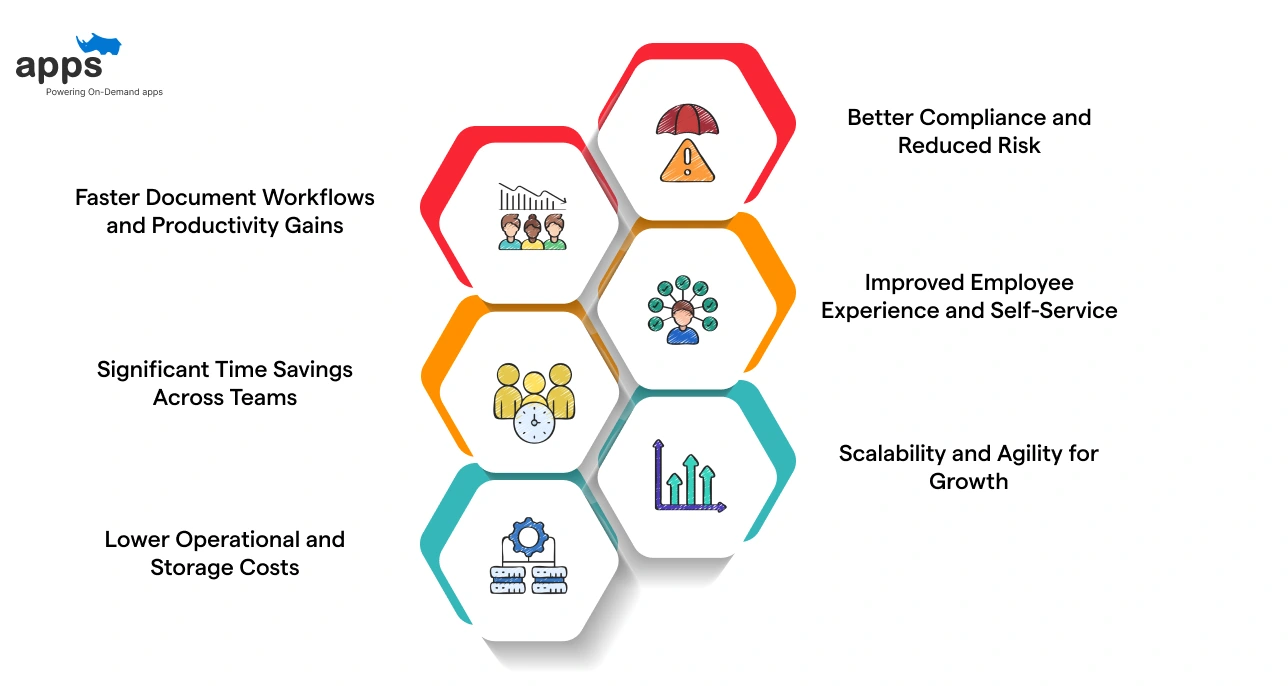
The right system turns manual busywork into automated, dependable processes, freeing HR to focus on people and strategic outcomes rather than file chasing. Here are the key benefits supported by real stats and insights:
Faster Document Workflows and Productivity Gains
Many routine HR tasks involve creating, finding, or updating employee documents. With automation and centralised storage, repetitive work drops significantly.
- Organisations using digital document management see up to a 50% reduction in manual document tasks, freeing teams from searching, filing, and chasing files.
- Automated workflows can speed approvals by up to 30% faster than manual processes, reducing delays in onboarding and compliance. These improvements mean HR teams focus less on busywork and more on high-value activities like talent planning.
Significant Time Savings Across Teams
Manual paperwork drains time across departments, not just HR. Digitising documents makes retrieval nearly instant.
- Automated systems can reduce document processing time by up to 90%, according to research on workflow and document management.
- Employees spend less time searching for files, improving day-to-day productivity and reducing frustration. These time savings scale quickly, especially for companies with frequent audits or large employee populations.
Lower Operational and Storage Costs
Paper records and legacy storage systems require physical space, staff effort, and retrieval costs. Digital alternatives reduce all of these.
- According ot the reports from Mewurk, handling one paper document can cost $15–$20 when printing, storing, and retrieving are factored in
- Centralised digital document storage eliminates physical storage fees and reduces labour costs tied to manual filing. Cost savings grow as document volumes increase with organisation size.
Better Compliance and Reduced Risk
Compliance with labour laws, GDPR, and data protection standards depends on clear documentation and access control. Digital systems improve readiness.
- Centralised document storage and automated audit trails ensure HR teams can quickly retrieve and verify records during inspections.
- Access control and retention rules support ongoing HR software legal compliance documentation management without manual tracking. This reduces legal risk and the cost of non-compliance.
Improved Employee Experience and Self-Service
Employees expect fast access to their own records, payslips, and policy documents. Digital systems make that possible. When you implement the best employee onboarding software alongside a document system, you create a digital-first culture that starts on day one.
- Secure self-service portals enable employees to access their documents anytime.
- Faster onboarding and document handling improve satisfaction and reduce HR queries.
Scalability and Agility for Growth
As companies grow, manual document handling breaks down. Digital HR document systems scale without added staff.
- Organisations adopting digital workflows are better prepared for growth, remote teams, and hybrid work models.
- Centralised, secure document systems support consistent HR operations across locations.
These benefits show why the best HR document management software is a strategic investment, not just a convenience.
Next, let’s explore how these systems integrate with your existing HR tools.
Best HR Document Management Software: What to Look For?
Choosing the best HR document management software is less about flashy features and more about how well it supports real HR work. Here are the key factors that actually matter.
Access Control and Role-Based Permissions
The software must allow granular control over who can view, edit, approve, or download documents. This ensures that sensitive employee files are accessible only to authorised HR staff and managers, protecting employee data privacy.
Compliance and Audit Readiness
A strong system includes audit trails, version history, and document retention rules. These features support HR software and legal compliance documentation management, making regulatory audits far less stressful.
Centralised HR Document Storage
All employee records, contracts, policies, and compliance documents should reside in a single, structured system. Centralisation reduces duplication, avoids misplaced files, and improves daily HR operations.
End-to-End Document Lifecycle Management
From creation and approvals to updates and archiving, the tool should manage the full document lifecycle. This prevents outdated documents from being used and keeps records clean over time.
Enterprise-Grade Security and Data Protection
Look for encryption, secure access protocols, and compliance with data protection standards. HR document storage must safeguard employee files against breaches and unauthorised access.
Workflow Automation for HR Processes
Automated reminders, approvals, and acknowledgements reduce manual follow-ups. This improves HR workflows, speeds up operations, and lowers administrative workload for HR teams.
Employee Self-Service Portals
Employees should securely access their own documents, like offer letters, payslips, and policies. Self-service portals reduce HR dependency while maintaining access control.
Integration with Existing HR Systems
Understanding how to integrate HR software with document management systems is critical. Seamless integration ensures documents align with HR automation, onboarding, and core HR platforms.
Picking the right solution now prevents compliance gaps later.
Next, we’ll explore when to buy ready-made software and when a custom HR document management solution makes more sense.
How to Integrate HR Software with Document Management Systems
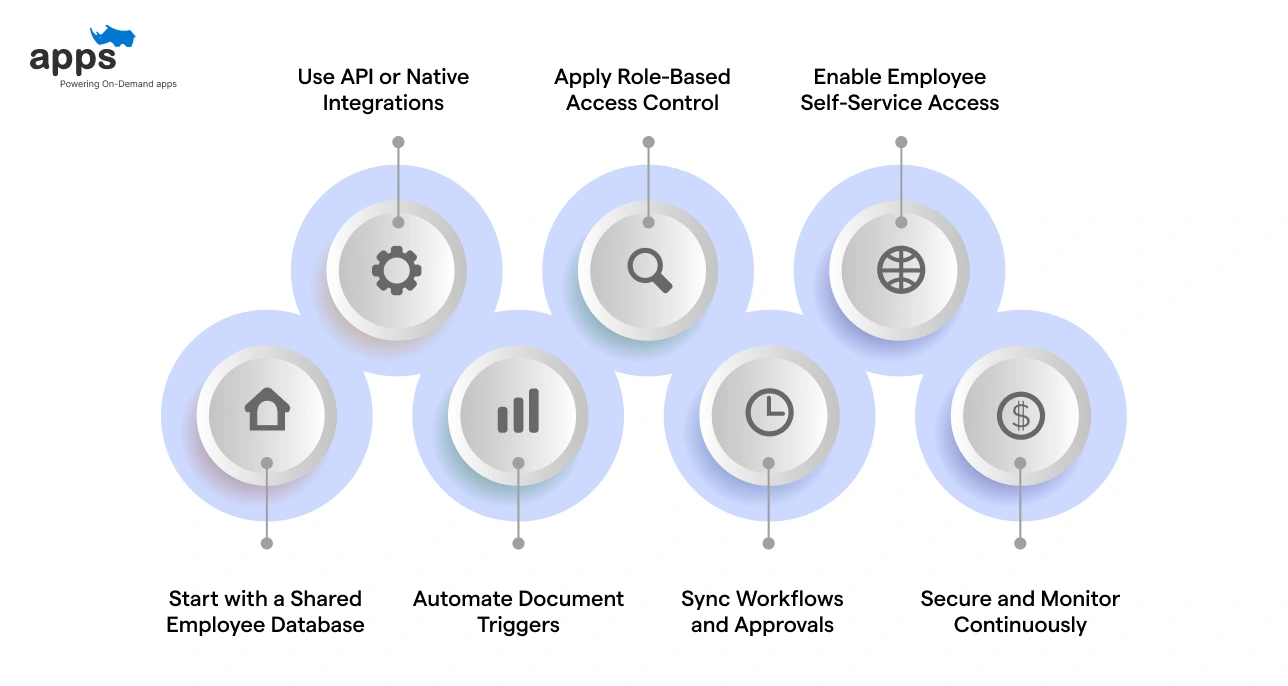
The goal is simplehere: one source of truth for employee data and documents, without manual uploads or constant syncing issues.
Here’s how HR document management software integrates smoothly with HR systems in practice:
Start with a Shared Employee Database
- Integration begins by linking employee IDs across systems
- Documents automatically attach to the right employee records
- Prevents duplicate files and mismatched data
Use API or Native Integrations
- Modern HR platforms offer APIs or built-in connectors
- Documents flow between HR systems and document repositories in real time
- Updates made in one system reflect everywhere
Automate Document Triggers
- Hiring, promotions, or exits trigger document creation automatically
- Offer letters, contracts, and policy acknowledgements attach instantly
- HR automation removes manual uploads and follow-ups
Apply Role-Based Access Control
- Permissions sync from HR roles to document access
- Managers, HR teams, and employees see only what they should
- Supports employee data privacy and HR compliance
Sync Workflows and Approvals
- Document approvals follow existing HR workflows
- Policies route for review, sign off, and archiving automatically
- Full audit trails log every action
Enable Employee Self-Service Access
- Employees upload, view, and acknowledge documents directly
- Reduces HR requests and email dependency
- Improves adoption of digital HR systems
Secure and Monitor Continuously
- Encryption, backups, and access logs stay active across systems
- Compliance checks remain consistent during audits
- Strengthens long-term HR document storage reliability
When integration is done right, documents stop feeling like extra work and start supporting real HR operations.
Up next, we’ll look at whether it’s better to build a custom solution or choose existing HR document management software.
Build vs Buy: Choosing the Right HR Document Management Software
There comes a point when HR teams must decide whether to adapt their processes to the software or shape the software to reflect how HR actually works.
Build a Custom HR Document Management Software
Building your own HR document management software makes sense when documentation is tightly linked to how your HR team operates.
- Designed around your exact HR workflows, not generic assumptions
Your employee records, approvals, policy flows, and compliance checks follow how your team already works, not the other way around. - Flexible access control and security by role
Permissions, audit trails, and data security are tailored to your organisation’s structure and are not limited by preset roles. - Easier compliance handling as regulations evolve
Custom builds adapt faster to changing labor laws, GDPR requirements, and internal compliance rules. - Seamless integration with existing HR tools
Payroll, onboarding, HR operations, and employee self-service portals integrate seamlessly, with no workarounds. - Scales cleanly as teams and document volumes grow
You avoid feature limits, rising per-user costs, and forced upgrades as HR needs expand.
Buy an Off-the-Shelf HR Document Management Tool
Buying ready-made HR document management software is well-suited for simpler setups or teams just getting started.
- Faster deployment with minimal setup time
Most tools are ready to use with standard document storage and basic workflows. - Lower upfront investment
Subscription pricing helps teams get started without development costs. - Built-in best practices for common HR use cases
Useful for standard employee files, policy sharing, and basic compliance tracking. - Vendor-managed updates and maintenance
You don’t manage infrastructure or technical upgrades yourself.
So, Which One Should You Choose?
If your HR processes are straightforward, buying can work.
If your documentation covers compliance, audits, access control, and multiple HR systems, building often feels less limiting over the long term.
The right choice depends on whether you want software that fits today or one that grows with your HR operations.
How AppsRhino Helps Build Custom HR Document Management Software
Off-the-shelf tools work until they don’t. AppsRhino helps HR teams build custom HR document management software that fits real workflows, compliance needs, and data security expectations from day one.
With AppsRhino, teams can:
- Centralise employee records, contracts, policies, and compliance files in one secure system
- Replace paper forms and scattered drives with structured, digital HR document storage
- Automate document approvals, acknowledgements, and lifecycle management
- Control access to employee files using role-based permissions and audit trails
- Support HR software legal compliance documentation management with built-in logs and controls
- Integrate document workflows directly into onboarding, offboarding, and HR operations
- Connect document management with existing HR systems and employee self-service portals
- Scale securely as teams, locations, and compliance requirements grow
The result is not just better document storage, but smoother HR workflows and stronger employee data privacy across the organisation.
Summing Up
Moving to a digital-first workspace starts with one simple act: clearing the paper clutter. When you switch to HR document management software, you aren’t just installing a new tool; you’re liberating your team from the soul-crushing task of manual filing. It’s about creating a faster, more accurate, and highly connected environment where HR operations thrive.
By digitizing your employee records, you protect your business with ironclad HR compliance and foolproof audit trails. This transition turns a chaotic mess of folders into a streamlined digital HR system that works as hard as you do.
You've seen the map, and now it’s time to take the first step toward a paperless future.
We’re excited to see how you’ll transform your workflow. If you’re looking for a robust platform to lead the way, AppsRhino helps you bridge the gap between messy files and seamless HR automation.
Frequently Asked Questions
Related quick blogs.